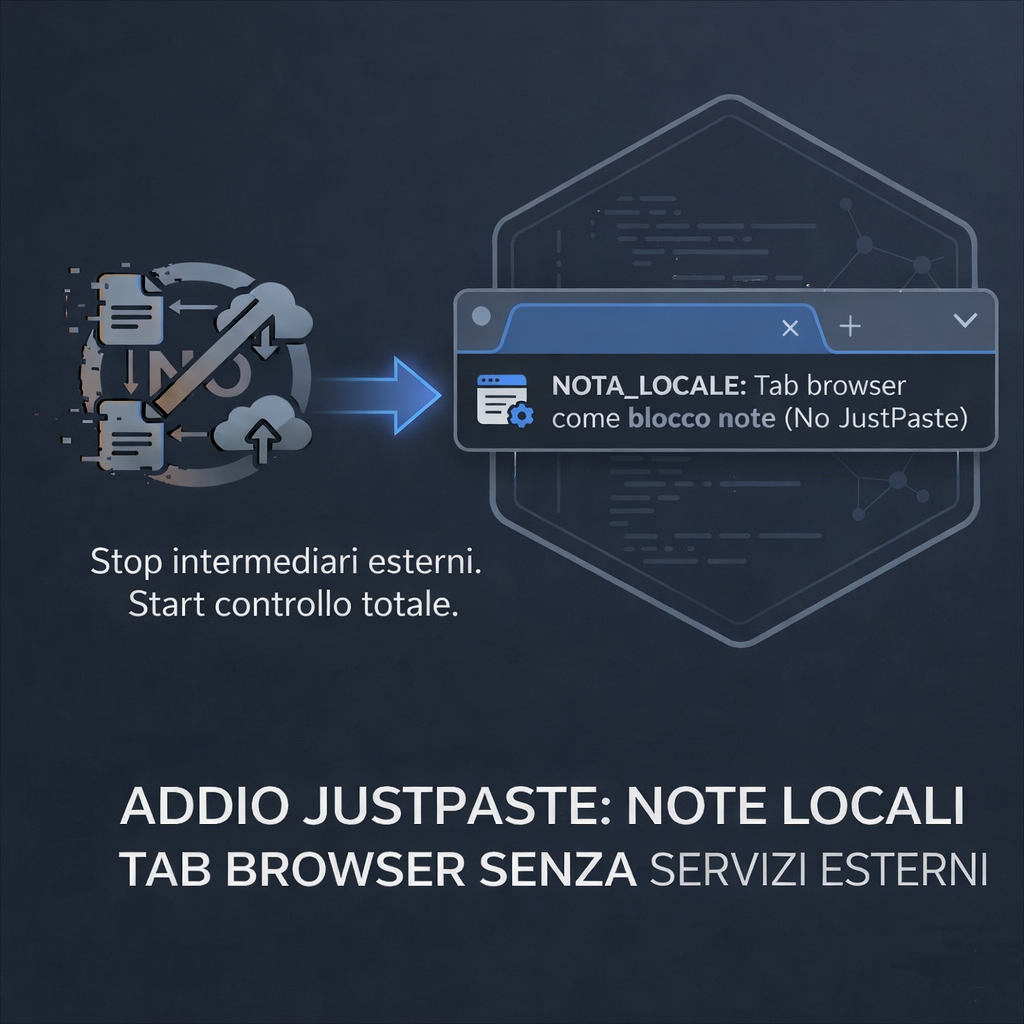
Basta JustPaste.it. Nel 2026 i tuoi appunti devono restare nel tuo browser.
Se continui a utilizzare servizi di terze parti per comunicare o memorizzare dati, esponi la tua privacy a rischi significativi. Questi servizi spesso raccolgono, analizzano e utilizzano i tuoi dati per profilazione, pubblicità mirata e persino rivendita a terzi. Perdi il controllo completo su chi ha accesso alle tue informazioni personali e come vengono utilizzate. Inoltre, la dipendenza da questi servizi crea una vulnerabilità in termini di autonomia dei dati. Potrebbero modificare le condizioni d'uso, limitare l'accesso ai tuoi dati o addirittura chiudere improvvisamente, lasciandoti senza accesso ai tuoi appunti e conversazioni. Scegliere alternative open-source e soluzioni di auto-hosting ti permette di proteggere la tua privacy, mantenere il controllo dei dati e garantire accessibilità a lungo termine.
1. Il "Paste-bin" è un concetto superato.
Affidarsi a JustPaste.it o simili significa accettare tre compromessi inaccettabili: latenza, dipendenza da server esterni e zero privacy. Nel 2026, caricare testo su un server remoto solo per rileggerlo dopo cinque minuti è un'inefficienza logica.
Una tab del browser trasformata in editor Markdown locale elimina l'intermediario. Niente caricamenti. Niente database altrui. Niente pubblicità.
2. Dati Tecnici: Controllo vs Comodità Apparente
FEATURE          PASTE-BIN ESTERNO       LOCAL TAB NOTES
Persistenza      Server Terzi            LocalStorage / IndexDB
Accesso          URL Pubblico/Privato    Locale (Solo tu)
Privacy          Zero (Dati in chiaro)   Totale (Zero transito)
Velocità         Dipendente da Rete      Istantanea (Offline)
Formattazione    Limitata                Markdown
Scegliere il cloud per salvare frettolosamente appunti temporanei? Non è comodità, è una pericolosa scorciatoia. Stai barattando il controllo e l'affidabilità del tuo flusso di lavoro con la promessa illusoria di una soluzione rapida, esponendoti a capricciose interruzioni di servizio e potenziali perdite di dati. Non cedere alla pigrizia tecnica: investi in una gestione degli appunti robusta e indipendente.
3. Il programma Python e la Filosofia "No Cloud"
Il tuo browser è il tuo spazio personale sul web, un ambiente intimo e controllato dove puoi navigare ed interagire con il mondo online in totale libertà. Immagina una nuova scheda come un blocco note digitale sempre a portata di mano, che cattura istantaneamente i tuoi pensieri e le tue idee, salvando automaticamente ogni parola che scrivi. La bellezza di questo sistema risiede nella sua privacy: i tuoi dati rimangono confinati all'interno del tuo browser, custoditi gelosamente anche se chiudi la scheda o l'intera applicazione. Nessuna informazione sensibile viene trasmessa online, garantendoti un'esperienza di navigazione sicura e completamente riservata.
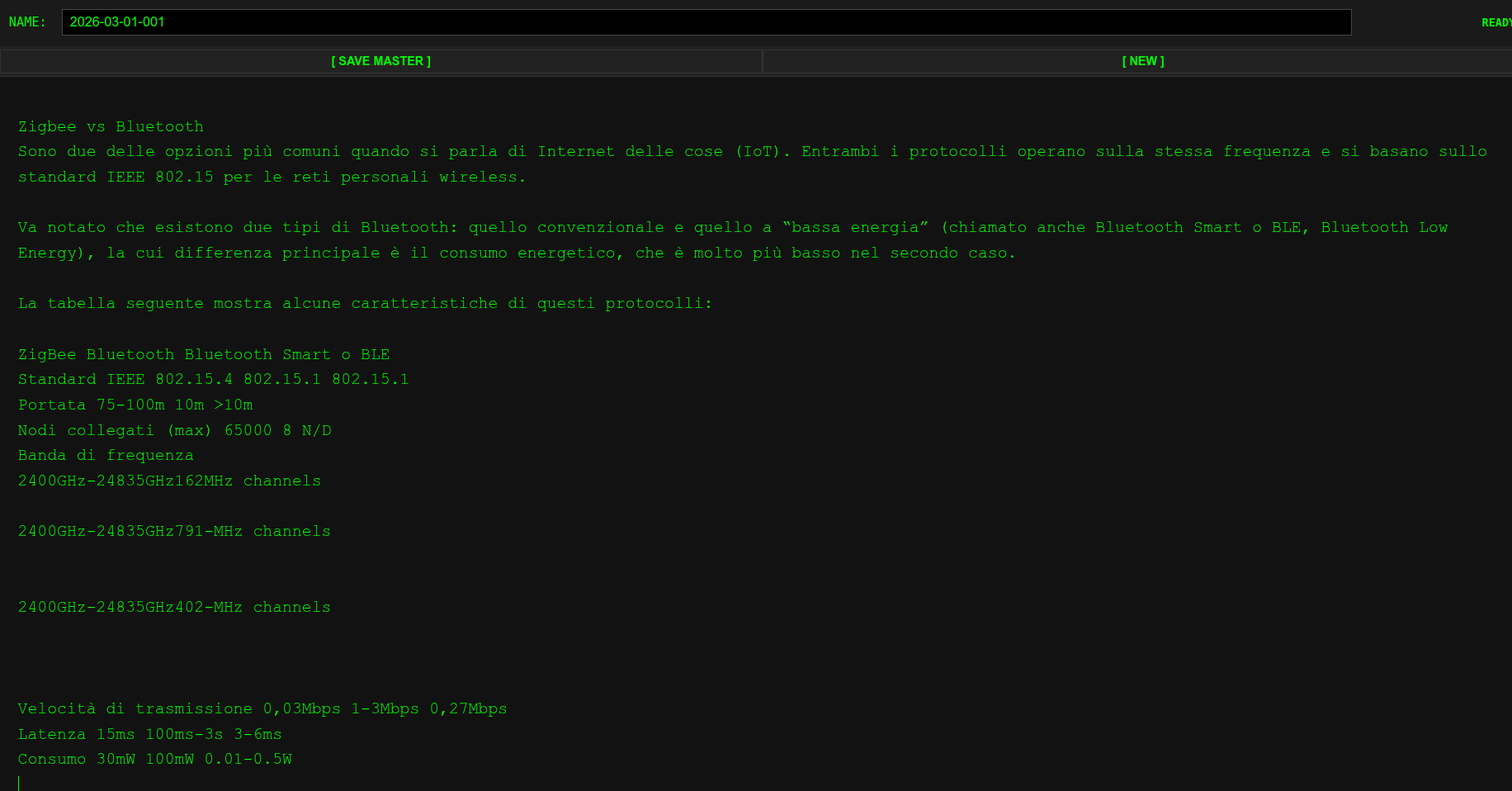
Lo “screenshot” della app
Il codice principale “main.py”
import os
import re
import json
import shutil
import subprocess
import threading
import queue
import logging
import signal
import sys
from datetime import datetime
from pathlib import Path
from typing import Tuple
from fastapi import FastAPI, Request, HTTPException
from fastapi.responses import HTMLResponse, JSONResponse, FileResponse, RedirectResponse
import uvicorn

logging.basicConfig(
    level=os.getenv("LOG_LEVEL", "INFO"),
    format="%(asctime)s | %(levelname)s | %(message)s",
)
logger = logging.getLogger("justpaste")

HOST = os.getenv("JP_HOST", "127.0.0.1")
PORT = int(os.getenv("JP_PORT", "5000"))
MAX_BODY_SIZE = int(os.getenv("JP_MAX_BODY", "5242880"))  # 5MB default
PDF_TIMEOUT = int(os.getenv("JP_PDF_TIMEOUT", "60"))

BASE_DIR = Path(__file__).parent.resolve()
STYLE_FILE = BASE_DIR / "style.css"
STORAGE = Path(os.getenv("JP_STORAGE", Path.home() / "justpaste")).resolve()
AUTOSAVE_FILE = STORAGE / ".autosave.json"

# --------------------------------------------------
# BOOT CLEANUP & STORAGE PERSISTENCE
# --------------------------------------------------

def initialize_storage():
    try:
        STORAGE.mkdir(parents=True, exist_ok=True)

        # Rimuove le "porcherie" (file tmp orfani) all'avvio
        for junk in STORAGE.glob("tmp*"):
            try:
                if junk.is_file():
                    junk.unlink(missing_ok=True)
                    logger.info(f"CLEANED_ORPHAN: {junk.name}")
            except Exception as e:
                logger.warning(f"FAILED_CLEANUP {junk.name}: {e}")

    except Exception as e:
        logger.critical(f"STORAGE_INIT_ERROR: {e}")
        sys.exit(1)

initialize_storage()

# --------------------------------------------------
# JOB QUEUE (deduplicated)
# --------------------------------------------------

job_q = queue.Queue()
queued_jobs = set()
queue_lock = threading.Lock()

# --------------------------------------------------
# UTILITIES
# --------------------------------------------------

def safe_filename(name: str) -> str:
    try:
        name = (name or "untitled").strip()
        # Rimuove caratteri pericolosi e sequenze di escape
        name = re.sub(r"[^a-zA-Z0-9._-]+", "_", name)
        # Previene nomi nascosti o risalita directory
        name = name.lstrip(".")

        if not name or name.lower() in ("not_found", "con", "prn", "aux", "nul"):
            name = f"file_{datetime.now().strftime('%Y%m%d_%H%M%S')}"

        return name[:120]  # hard limit
    except Exception:
        return f"emergency_{datetime.now().strftime('%Y%m%d_%H%M%S')}"

def find_chrome():
    candidates = ("google-chrome", "google-chrome-stable", "chromium", "chromium-browser")
    for cmd in candidates:
        if p := shutil.which(cmd):
            return p
    return None

def html_to_pdf(html_path: Path, pdf_path: Path) -> Tuple[bool, str]:
    chrome = find_chrome()
    if not chrome:
        return False, "CHROME_NOT_FOUND"

    args = [
        chrome,
        "--headless",
        "--no-sandbox",
        "--disable-gpu",
        "--font-render-hinting=none",
        "--print-to-pdf-no-header",
        f"--print-to-pdf={pdf_path}",
        f"file://{html_path.absolute()}",
    ]

    try:
        subprocess.run(
            args,
            timeout=PDF_TIMEOUT,
            capture_output=True,
            check=True,
        )

        if pdf_path.is_file() and pdf_path.stat().st_size > 100:
            return True, "OK"

        return False, "EMPTY_OUTPUT"

    except subprocess.TimeoutExpired:
        return False, "TIMEOUT"

    except subprocess.CalledProcessError as e:
        logger.error(f"PDF_SUBPROCESS_ERR: {e.stderr}")
        return False, "SUBPROCESS_ERROR"

    except Exception as e:
        logger.error(f"PDF_SUBPROCESS_ERR: {e}")
        return False, str(e)

# --------------------------------------------------
# WORKER
# --------------------------------------------------

def worker():
    logger.info("PDF_WORKER_READY")

    while True:
        name = job_q.get()

        if name is None:
            break

        try:
            html = (STORAGE / f"{name}.html").resolve()
            pdf = (STORAGE / f"{name}.pdf").resolve()

            # Controllo di sicurezza: il file deve essere dentro STORAGE
            if STORAGE not in html.parents:
                logger.error(f"SECURITY_VIOLATION: Attempted access to {html}")
                continue

            if not html.exists():
                continue

            ok, msg = html_to_pdf(html, pdf)
            logger.info(f"PDF_GEN {name}: {'SUCCESS' if ok else 'FAILED'} | {msg}")

        except Exception as e:
            logger.error(f"WORKER_ERROR: {e}")

        finally:
            with queue_lock:
                queued_jobs.discard(name)
            job_q.task_done()

worker_thread = threading.Thread(target=worker, daemon=True)
worker_thread.start()

# --------------------------------------------------
# FASTAPI
# --------------------------------------------------

app = FastAPI()

@app.get("/style.css")
def style():
    if STYLE_FILE.is_file():
        return FileResponse(STYLE_FILE)
    return HTMLResponse(content="", status_code=404)

@app.get("/favicon.svg")
def favicon():
    return RedirectResponse("https://www.robotdazero.it/favicon.svg")

@app.get("/nextname")
def nextname():
    return f"file_{datetime.now().strftime('%Y%m%d_%H%M%S')}"

@app.get("/", response_class=HTMLResponse)
def index():
    autosave = {"filename": "", "html": ""}

    if AUTOSAVE_FILE.is_file():
        try:
            autosave = json.loads(AUTOSAVE_FILE.read_text(encoding="utf-8"))
        except Exception:
            logger.warning("AUTOSAVE_CORRUPTED")

    content = HTML_PAGE.replace("{{AUTOSAVE_FILENAME}}", str(autosave.get("filename", "")))
    content = content.replace("{{AUTOSAVE_HTML}}", str(autosave.get("html", "")))
    return content

@app.post("/save")
async def save(request: Request):
    try:
        name = safe_filename(request.query_params.get("name", "untitled"))
        body = await request.body()

        if not body:
            return JSONResponse(status_code=400, content={"ok": False, "err": "EMPTY_BODY"})

        if len(body) > MAX_BODY_SIZE:
            return JSONResponse(status_code=413, content={"ok": False, "err": "PAYLOAD_TOO_LARGE"})

        html_path = (STORAGE / f"{name}.html").resolve()

        if STORAGE not in html_path.parents:
            raise HTTPException(status_code=400, detail="INVALID_PATH")

        # atomic write
        tmp_path = STORAGE / f"tmp_{name}_{os.getpid()}"
        tmp_path.write_bytes(body)
        tmp_path.replace(html_path)

        # Accoda il job per il PDF (se non è già in coda lo stesso nome)
        with queue_lock:
            if name not in queued_jobs:
                queued_jobs.add(name)
                job_q.put(name)

        logger.info(f"SAVED: {name}.html")
        return {"ok": True, "file": str(html_path), "name": name}

    except HTTPException:
        raise
    except Exception as e:
        logger.error(f"SAVE_ERR: {e}")
        return JSONResponse(status_code=500, content={"ok": False, "err": "INTERNAL_ERROR"})

@app.post("/autosave")
async def autosave(request: Request):
    try:
        data = await request.json()

        tmp = STORAGE / ".autosave.tmp"
        tmp.write_text(json.dumps(data, indent=2), encoding="utf-8")
        tmp.replace(AUTOSAVE_FILE)

        return {"ok": True}

    except Exception:
        return JSONResponse(status_code=500, content={"ok": False})


HTML_PAGE = """
<!DOCTYPE html>
<html>
<head>
<meta charset="UTF-8">
<link rel="icon" href="/favicon.svg" type="image/svg+xml">
<link rel="stylesheet" href="/style.css">
<title>JustPaste</title>
</head>
<body>
<div class="sticky-header">
    <div class="header">
        NAME:
        <input type="text" id="filename" value="{{AUTOSAVE_FILENAME}}" spellcheck="false" autocomplete="off">
        <div id="status">READY</div>
    </div>
    <div class="bar">
        <button onclick="saveMaster()">[ SAVE MASTER ]</button>
        <button onclick="newDoc()">[ NEW ]</button>
    </div>
</div>
<div id="editor" contenteditable="true" spellcheck="false">{{AUTOSAVE_HTML}}</div>

<script>
async function ensureName(){
    const i = document.getElementById('filename');
    if (i.value.trim()) return;
    try {
        const r = await fetch('/nextname');
        i.value = (await r.text()).trim();
    } catch(e) { console.error("Name fetch failed"); }
}

async function saveMaster(){
    await ensureName();
    let name = document.getElementById('filename').value.trim() || 'untitled';

    const status = document.getElementById('status');
    status.innerText = "SAVING...";

    const content = document.getElementById('editor').innerHTML;

    try {
        const r = await fetch('/save?name=' + encodeURIComponent(name), {
            method: 'POST',
            body: content
        });
        const res = await r.json();
        if(res.ok) {
            status.innerText = "SAVED";
            setTimeout(() => { if(status.innerText === "SAVED") status.innerText = "READY"; }, 3000);
        } else {
            status.innerText = "ERROR";
        }
    } catch(e) {
        status.innerText = "NET_ERROR";
    }
}

async function autosave(){
    const payload = {
        filename: document.getElementById('filename').value.trim(),
        html: document.getElementById('editor').innerHTML
    };
    try {
        await fetch('/autosave', {
            method: 'POST',
            headers: {'Content-Type': 'application/json'},
            body: JSON.stringify(payload)
        });
    } catch(e) {}
}

function newDoc(){
    if (!confirm("Cancellare tutto?")) return;
    document.getElementById('editor').innerHTML = '';
    document.getElementById('filename').value = '';
    ensureName();
}

document.getElementById('editor').addEventListener('paste', function(e) {
    e.preventDefault();
    const items = e.clipboardData.items;
    let handledImage = false;

    for (let item of items) {
        if (item.kind === 'file' && item.type.startsWith('image/')) {
            handledImage = true;
            const blob = item.getAsFile();
            const reader = new FileReader();
            reader.onload = function(event) {
                const img = document.createElement('img');
                img.src = event.target.result;
                img.style.maxWidth = '100%';
                img.style.display = 'block';
                img.style.margin = '10px 0';
                document.getElementById('editor').appendChild(img);
            };
            reader.readAsDataURL(blob);
        }
    }

    if (!handledImage) {
        const text = e.clipboardData.getData('text/plain') || '';
        document.execCommand('insertText', false, text);
    }
});

window.onload = () => {
    ensureName();
    setInterval(autosave, 60000);
};
</script>
</body>
</html>
"""

# --------------------------------------------------
# SHUTDOWN
# --------------------------------------------------

def signal_handler(sig, frame):
    logger.info("SHUTTING_DOWN...")
    job_q.put(None)
    worker_thread.join(timeout=5)
    sys.exit(0)

if __name__ == "__main__":
    signal.signal(signal.SIGINT, signal_handler)
    signal.signal(signal.SIGTERM, signal_handler)

    if not find_chrome():
        logger.warning("PDF_DISABLED: Chrome/Chromium non trovato.")

    uvicorn.run(
        app,
        host=HOST,
        port=PORT,
        log_level="warning",
        proxy_headers=True,
    )
Il file “style.css”
body, html {
    margin: 0;
    padding: 0;
    background: #121212;
    color: #0f0;
    font-family: monospace;
    font-size: 17px;          /* base leggermente più grande */
}

.sticky-header {
    position: sticky;
    top: 0;
    z-index: 1000;
    background: #1a1a1a;
    border-bottom: 2px solid #333;
}

.header {
    display: flex;
    height: 50px;             /* un filo più alta per comodità */
    align-items: center;
    padding: 8px 12px;
    gap: 20px;
}

#filename {
    background: #000;
    color: #0f0;
    border: 1px solid #444;
    padding: 6px 10px;
    flex-grow: 1;
    font-size: 18px !important;  /* più leggibile */
}

#status {
    min-width: 200px;
    font-size: 15px;
    text-align: right;
    font-weight: bold;
}

#editor {
    width: 100%;
    min-height: 80vh;
    padding: 24px;
    outline: none;
    box-sizing: border-box;
    font-size: 22px !important;      /* qui lo ingrandiamo davvero */
    line-height: 1.55;
    font-family: 'Courier New', Courier, monospace !important;
}

#editor * {
    font-family: 'Courier New', Courier, monospace !important;
}

#editor::selection,
#editor *::selection {
    background: #0f0;
    color: #000;
}

.bar {
    display: flex;
    height: 40px;
    background: #222;
    align-items: center;
}

button {
    flex: 1;
    background: none;
    color: #0f0;
    border: 1px solid #333;
    font-weight: bold;
    font-size: 16px !important;
    padding: 6px 0;
    cursor: pointer;
    text-transform: uppercase;
}

button:hover {
    background: #0f0;
    color: #000;
}
Il “Makefile”
# MyPaste - Control Logic
PYTHON = python3
PID_FILE = mypaste.pid
PORT = 5000
STORAGE = $(HOME)/justpaste

.PHONY: run stop status list

# Lancia il server. Nota: in foreground il PID_FILE non serve per il kill,
# ma lo stop pulisce comunque il socket della porta PORT.
run: stop
   @mkdir -p $(STORAGE)
   @echo "[STARTING] MyPaste Server on port $(PORT)..."
   $(PYTHON) main.py

# Forza la liberazione della porta e pulisce file residui
stop:
   @echo "[CLEANING] Killing processes on port $(PORT)..."
   -@fuser -k $(PORT)/tcp 2>/dev/null || true
   -@if [ -f $(PID_FILE) ]; then kill -9 $$(cat $(PID_FILE)) 2>/dev/null || true; fi
   -@rm -f $(PID_FILE)

# Elenca i paste. Se la cartella è vuota non crasha.
list:
   @echo "[STORAGE] Current saved pastes in $(STORAGE):"
   @ls -lh $(STORAGE) 2>/dev/null || echo "Empty or missing directory."

# Stato del socket (L4)
status:
   @lsof -i :$(PORT) || echo "Port $(PORT) is FREE"
Come lanciare il programma
Scrivi “make” sul terminale Linux e quindi vai su “http://127.0.0.1:5000/”
4. Resilienza e Markdown
Dimentica le UI pesanti. Un programma minimale per appunti su tab usa script leggeri (Python per il serving locale, JS minimale per la logica) per garantirti un ambiente di scrittura efficace senza fronzoli e senza features complicatissime che non userai mai.
Se il sistema deve essere field-ready, deve funzionare anche senza connessione. Gli appunti su tab sono pronti all'uso in ogni condizione, eliminando il debito tecnico dei tool "sempre connessi".
5. Didattica vs Produzione
I paste-bin pubblici sono per chi deve condividere codice una tantum in chat. Per chi lavora in modo professionale e sicuro, il "Distacco" dai servizi cloud è l'unica via per la stabilità del workflow.
Manifesto tecnico:
Affidare appunti operativi a server di terze parti non è una scelta pratica. È una vulnerabilità strutturale nel tuo flusso di lavoro.
Conclusione: Riprenditi i tuoi dati
Trasferire le operazioni di editing direttamente nella tab del tuo browser non è semplicemente un miglioramento dell'esperienza utente, ma una rivoluzione silenziosa. Significa riappropriarti del controllo sui tuoi dati, elevandoti da semplice utente a sovrano digitale del tuo stesso contenuto, in un'era in cui la privacy è un bene sempre più prezioso.
Se stai progettando qualcosa nel campo IOT che non può bloccarsi, guarda il Sentinel Node con Memoria pSLC, Watchdog, hardware esterno e RTC dedicato. Progettato per un vero uptime reale.